Updated review: August 26, 2026

Penalty Unlimited Review
Demo, RTP and Operator Checks

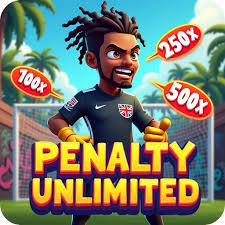
Penalty Unlimited is a football-themed instant game by InOut. Start with the demo, check the 96% RTP in context, and verify operator terms before using any paid casino balance.

96% RTP
Instant Game Type
Unlimited Penalties

August 2026 Penalty Unlimited Checks

Five practical checks now appear before the main guide so visitors do not have to scroll past sales copy to understand the game.

Game Identity

Confirm the lobby names Penalty Unlimited by InOut and not a clone, reskin or unrelated football game.

RTP Context

Third-party listings show 96% RTP; that is a long-run theoretical return, not a personal payout promise.

Cashout Rules

Read how successful kicks, failed saves, multipliers and cashout timing work before raising stakes.

Demo First

Use demo mode to test controls, keeper difficulty and mobile layout without treating practice as an edge.

Operator Terms

Check country access, KYC, bonus eligibility, max bet, withdrawal rules and responsible-gaming limits before depositing.

What Makes Penalty Unlimited Special?

Use these points to understand the football penalty loop before opening an operator page.

Instant Action

Jump straight into penalty shootouts with no complex setup. Just pick your spot and shoot!

96% RTP

Third-party listings show 96% RTP, which means a 4% long-run house edge before operator terms and variance.

Endless Cycles

Repeat rounds make the game easy to learn in demo mode, but every paid session still needs a limit.

Realistic Physics

Experience authentic football physics that make every penalty feel like a real match moment.

Simple Controls

Simple controls make the interface approachable, while bankroll discipline controls session risk.

Cross-Platform

Test desktop and mobile layouts first; account progress and availability depend on the operator.

How to Play Penalty Unlimited

Pick up the basics, then separate interface practice from paid-play risk.

Choose Your Challenge Level

Easy Level Goalkeeper
EASY

Training Ground Keeper

Use the easy keeper to learn placement, shot power and cashout flow. Treat any suggested power range as practice guidance only, not a payout expectation.

  • Keeper dives predictably
  • More forgiving timing
  • Great for learning shot placement
  • Won't guess your moves too often
Medium Level Goalkeeper
MEDIUM

League Standard Keeper

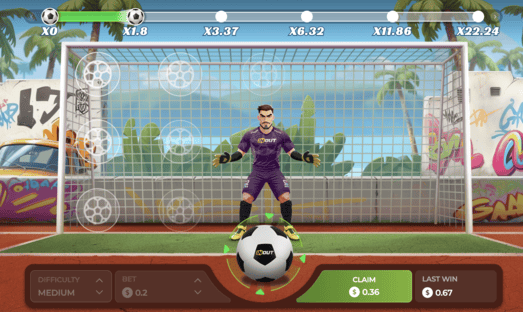
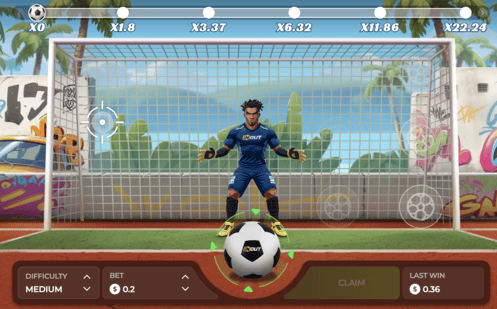
The medium keeper is useful for testing faster decisions and varied placement. Do not assume a fixed success rate; check the live rules and use demo mode first.

  • Reads your patterns
  • Quick reflexes but not insane
  • Rewards variety in shot selection
  • Good balance of challenge vs fun
Hard Level Goalkeeper
HARD

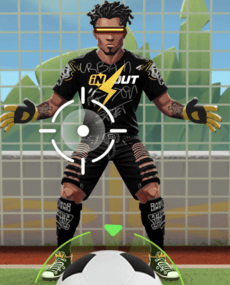
Hard Keeper

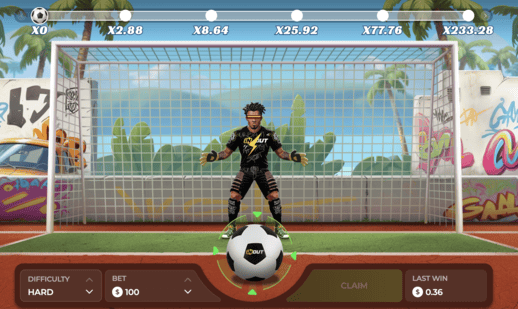
The hard keeper makes timing mistakes more visible and can drain a paid balance quickly if you chase losses. Test it in demo and set a stop point before using it in a casino account.

  • Fast reaction style
  • Less forgiving timing
  • Best tested in demo mode
  • Needs strict session limits

Master the Perfect Penalty

1

Choose Your Spot

Study the goalkeeper's position and select where you want to place your shot. Use the demo to learn how the interface responds before staking money.

2

Set Your Power

Practice different power ranges in demo mode and compare them with the rules screen. Too much or too little power can change the result flow.

3

Time Your Shot

Learn how the shot timing feels on your device. Faster keeper modes require quicker decisions, especially on mobile connections.

4

Build Your Streak

Successful penalties can build a multiplier, but the safest habit is deciding a cashout and stop point before the round starts.

Understanding RTP, Cashout and Risk

The 96% RTP in Context

Casino-game catalogues list Penalty Unlimited with 96% RTP. That means a 4% theoretical house edge over a very large number of plays; it does not predict one round or make a session favorable.

Volatility and Cashout Discipline

The penalty format can feel controllable because every round asks for a shot or cashout decision. Keep those decisions separate: choose a stake, choose a stop point and avoid increasing the bet after a miss.

What Practice Can and Cannot Do

Demo practice can make the interface, goalkeeper movement and timing easier to read. It cannot change the RTP, remove variance or promise a positive return.

Practical Tips Before Paid Play

Use the Demo

Test each difficulty level on desktop and mobile. If timing feels delayed on your phone, do not move to paid play until the connection is stable.

Set Cashout Rules

Decide your cashout point before a round begins. Changing it mid-round is how a simple instant game becomes a fast bankroll drain.

Keep Bet Size Flat

Use the same small stake while learning. Raising stakes after a miss does not fix variance and can make the 4% house edge more expensive.

Check Operator Limits

Before depositing, confirm country access, KYC, minimum bet, maximum bet, bonus contribution, withdrawal rules and limit tools.

Try the Free Demo First

Use demo mode to understand the interface before deciding whether an operator page is worth using.

Why Demo Mode Belongs First

Demo mode is the fastest way to inspect the buttons, shot flow, cashout prompt and mobile controls without creating an account or risking a deposit. Treat it as orientation, not as proof that paid sessions will behave in your favor.

After the demo, read the operator's current rules, min and max bet, bonus restrictions and withdrawal terms. Read the complete rules first →

Demo First, Terms Second

Do both checks before paid play: learn the interface in demo mode, then confirm the casino rules on the operator page.

Open the Demo Guide
🎯

Learn the Timing

Use demo rounds to see how quickly the shot and cashout prompts move.

💡

Test Strategies

Try different shot choices and difficulty settings so the interface is familiar.

🧘

No Pressure

Make interface mistakes with virtual credits instead of a deposit balance.

📊

Track Your Progress

Use the history screen to understand variance and how quickly streaks can change.

Demo Mode Screenshot

How to Get Started with Demo Mode

1

Open the Demo

Use the demo link first if it is available in your region. Availability can vary by operator and location.

2

Choose a Difficulty

Start with the lowest difficulty so you can see how the shot controls and result screen work. Learn about difficulty levels →

3

Practice Different Shots

Try corners, center shots, high and low attempts so the available controls are clear.

4

Review the Paid Terms

If you move beyond demo, confirm account rules, bonus limits, bet limits and withdrawal terms first.

Demo vs Operator Play

Use this comparison to understand what changes after leaving demo mode:

Feature
Demo Mode
Operator Play
Gameplay Quality
Comparable Useful for learning the layout
Check Live Page Confirm current rules before play
Goalkeeper AI
Preview Only Good for interface practice
Operator Rules Consistent difficulty
Balance Impact
Virtual Credits Practice without risk
Deposit Balance Wins and losses affect funds
Pressure Level
Lower Pressure Perfect for learning
Higher Pressure Budget limits matter
Progress Tracking
Full Stats See your improvement
Full Stats Check game and account history
Time Limits
Unlimited Session limits depend on demo host
Unlimited Operator limits may apply
Account Required
None Usually no account needed
Yes KYC and local rules may apply

Demo Mode Checklist

Start Slow

Start on the lowest difficulty and focus on reading the controls, not chasing a streak.

Track Your Stats

Use history and result screens to understand how quickly outcomes vary from round to round.

Test Everything

Try all shot types, power levels and timing prompts so you know what each control does.

Check the Terms

Before using an operator page, review bet limits, cashout rules, bonuses and withdrawal requirements.

Ready to Review the Game?

Open the demo first, then compare the live operator rules before making any account or deposit decision.

Tip: If the rules, limits or provider information are missing, choose another operator page.

RTP and Fairness Checks

Use these checks before trusting any Penalty Unlimited casino page.

What the 96% Number Means

Casino-game listings show Penalty Unlimited at 96% RTP. That is a long-run theoretical return across many plays, not a prediction for a single player, a session, or a difficulty level.

🔎

Check the Game Page

Compare provider, RTP and rules in the live lobby.

🛡️

Check the Operator

Review license, KYC and withdrawal terms.

⏱️

Check Your Limits

Set deposit, loss and session limits first.

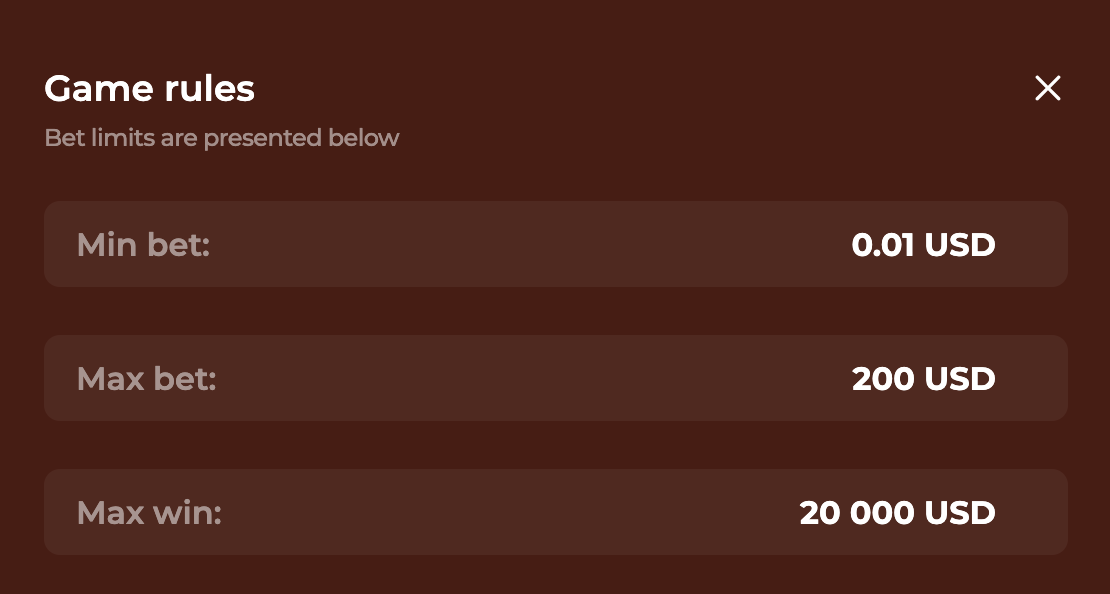
Penalty Unlimited rules screen

Practical RTP Reading

96% theoretical RTP
4% edge

Short sessions can land far above or below the theoretical average.

What to verify first:

  • Game identity: Penalty Unlimited by InOut.
  • Rules: How kicks, misses, cashout and multipliers resolve.
  • Limits: Minimum bet, maximum bet and country access.
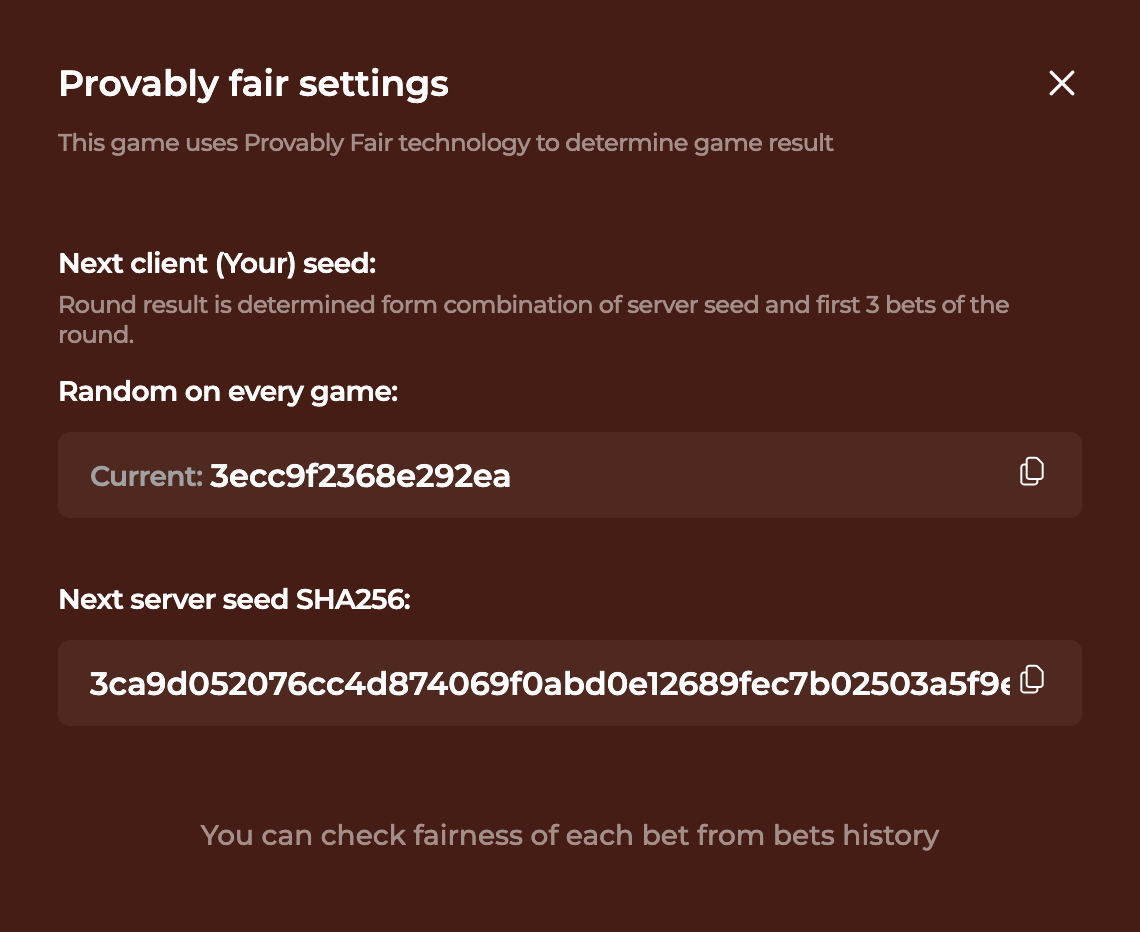
  • History: Whether the operator provides round history or verification details.

Open the Demo First

Use demo mode to understand the interface and pace. Move to paid play only after the live operator terms match your expectations.

Get Penalty Unlimited APK - Play Anywhere!

Want to take those penalty kicks on the go? Here's how I got the mobile version running perfectly

📱

Penalty Unlimited APK

Version 2.1.4 • 45.2 MB Android 5.0+ • iOS 12+

Why I Love the Mobile Version

Honestly, I was skeptical at first - how good could penalty kicks be on a phone? Turns out, pretty damn good! The touch controls are super responsive, and I can practice my shots during lunch breaks. Plus, all your progress syncs between devices, which is clutch.

Same gameplay as desktop version
🔄 Cross-platform progress sync
📶 Works offline after initial download
🎮 Great touch controls
Penalty Unlimited Mobile Screenshot
Mobile Gameplay

Smooth 60fps action on your phone

📲 How I Installed It (Step by Step)

1
Check the Source

Only install Android packages from a source you can verify. Avoid files shared through mirrors, comments or messaging apps. Detailed Android guide →

2
Download the APK

Confirm the file name, size and source before opening it. If the operator does not publish APK details, use the browser version instead.

3
Install & Launch

Install only after checking Android's security prompt. Cancel if the requested permissions do not match a simple casino game.

4
Sign In & Sync

Sign in only on the operator's verified app or mobile site, then check whether account history and limits match the desktop version.

⚠️
Quick Safety Note

APK files carry extra risk. Prefer the browser version when possible, and do not install a package if the source, permissions or update path are unclear.

Review Notes Instead of Hype

These points replace unsourced player quotes with practical checks for Penalty Unlimited visitors.

Penalty Unlimited interface

Best Fit

Fast penalty/cashout rounds

Penalty Unlimited suits visitors who want short football-themed rounds and clear cashout decisions, not a full football simulator.

Penalty Unlimited rules

Main Risk

Fast repeat play

The biggest risk is increasing stakes after missed penalties. Keep a flat stake and decide the stop point before starting.

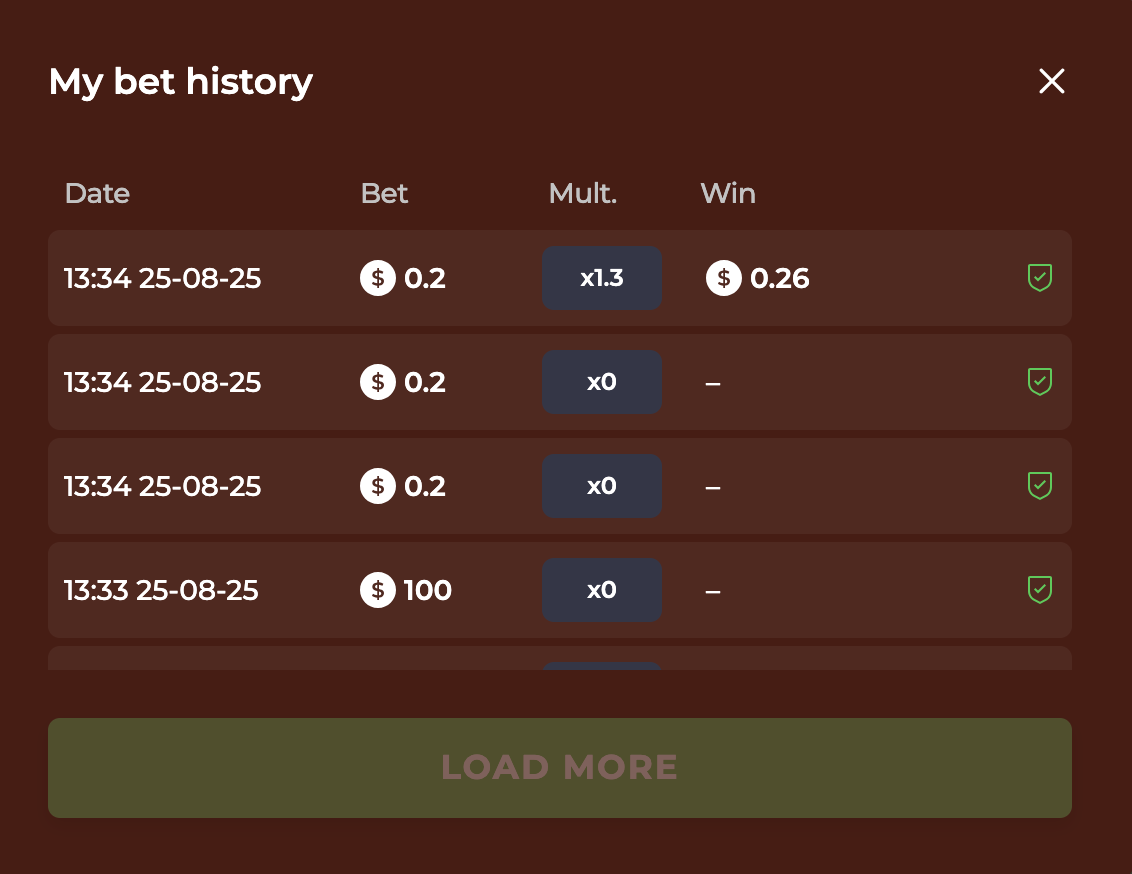
Penalty Unlimited bet history

Freshness

Checked August 26, 2026

Recheck the live operator page for RTP, country availability, game history, bonus contribution and withdrawal rules.

Frequently Asked Questions

Everything you need to know about Penalty Unlimited

What is Penalty Unlimited?

+

Penalty Unlimited is a football-themed instant game by InOut. It uses simple penalty rounds, cashout-style decisions and a 96% RTP listed by casino-game catalogues.

How does the 96% RTP work?

+

A 96% RTP is a long-run theoretical return across many plays. It does not predict one session or turn practice into a reliable return.

Can I play Penalty Unlimited for free?

+

Yes. Try the free demo first to learn controls, difficulty levels, cashout pacing and mobile performance before paid play.

What makes this different from other penalty games?

+

Penalty Unlimited differs through its football penalty theme and fast cashout loop. Player choices shape the experience, but the game still carries casino-game variance.

Is Penalty Unlimited safe to play?

+

Safety depends on the operator. Check the casino license, game information panel, payment rules, KYC process and responsible-gaming tools before depositing.

What devices can I play on?

+

It can run on desktop and mobile where the operator supports it. Test the demo on your own device before installing anything or depositing.

How do I improve my penalty success rate?

+

Use the free demo to understand timing, power controls and difficulty modes. Treat practice as interface learning, not as an RTP advantage.

Is there a fixed winning strategy?

+

No. Use tips for navigation and pacing only. Set a budget, keep stakes flat and stop when the session reaches your preset limit.

Ready to Check Penalty Unlimited?

Start with the demo, read the rules, then verify the live operator terms before using a paid balance.

Demo Start Here
96% Return Rate
4% House Edge

This site contains affiliate links. We may earn a commission at no extra cost to you.